tech support 8

  • Subscribe to our RSS feed.
  • Twitter
  • StumbleUpon
  • Reddit
  • Facebook
  • Digg

Wednesday, 18 July 2012

My Print Styles Article in .net Magazine

Posted on 07:41 by Unknown


The Summer 2012 (#231) issue of .net Magazine has my tutorial on making print styles for your site. Not only did I get four pages, the article got a mention on the front cover (small though it is) and my photo in the contributors section.


If you've spent much time here or following me on Twitter, then you know I have written plenty about the lack of print styles on modern sites, particularly those claiming to use responsive techniques. I figured it was about time I showed some techniques to make it happen and hopefully demonstrate how dreadfully simple print styles are to do.


While my article is clearly the stand-out piece in the magazine, and totally worth getting just for my work, there is some other stuff in this issue that might interest you:


Creating flexible layouts that will work on any device and any screen size is the next big challenge for CSS. In this month's issue Peter Gasston takes us on a tour of some well-implemented properties you can use now as well as the exciting proposed properties we could be using in the future.


There's also a guide to creating or updating your online portfolio from Gary Marshall, an interview with Elliot Jay Stocks and tutorials on HTML5's Drag and Drop API and building a basic responsive site with CSS. Here are some more highlights:


  • Build smoother JavaScript apps

  • Make your website printable

  • Make your sites load faster

  • The pro's guide to Adobe Edge

  • Build an ecommerce store

  • Using PHP Data Objects


By the way, in case you want to read up on some of my prior discussions about print styles, here's a handy list of links for you:


  • Print Styles Forgotten by Responsive Web Developers, October 3, 2011.

  • More Samples of Responsive Web Design ≠ Print, October 13, 2011.

  • Test in Lynx and Print, It's Your Job, December 12, 2011.

  • More Evidence of the Need for Print Styles, April 6, 2012.

  • Announcing PrintShame.com, April 9, 2012.


Update, March 5, 2013


My print CSS article has appeared on the .net Magazine web site, though the web site excludes the sidebars on Print Shame and QR codes in print layouts.

Read More
Posted in css, html, print, standards | No comments

Monday, 16 July 2012

It's OK to Use Tables

Posted on 13:13 by Unknown


Image of Baby Boomerangutuang.

Baby Boomerangutuang, one of the Tick's students.


If you cut your teeth building for the web in the 90s and even into the 00s, then you probably learned to lay out your HTML pages using tables. As CSS support and techniques have caught up, tabled layouts have mostly gone the way of the font element.


There seems to be such a strong backlash against tables, however, that many developers won't even use them when it is both semantically and structurally appropriate — such as marking up tabular data.


The W3C HTML5 draft specification has a pretty simple way to qualify if a table is appropriate:


The table element represents data with more than one dimension, in the form of a table.


To explain it another way, if you are representing columns and rows of data then you probably should be using a table. If you find you are using images or other elements, then you are likely doing it wrong.


In addition, representing tabular data using other elements means you may be preventing users of assistive software, who already have experience reading tables, from being able to access the information in the same way.


Examples of the two methods I see most frequently to incorrectly mark up tables follow.


Tables As Images


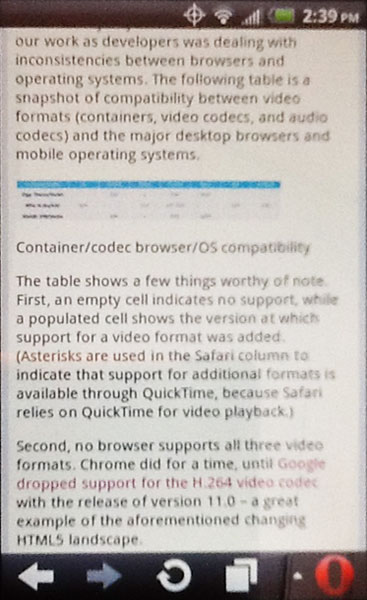
These screen shots show how each table appeared when viewed on an iPad and on an Android Evo using Opera. Click/tap for larger images.


In February .net Magazine posted an article, Deliver video seamlessly to desktop and mobile devices, which included two tables of browser and video codec support. These two tables were not marked up using a table, however.


Instead the tables were presented as images with no useful alt text. While the article used an HTML5 figure, there was nothing to present the contents of the tables as plain text.


The problem was exacerbated by the fact that when the page was viewed on mobile devices, the automatic down-sampling of the .net Magazine CMS (I am assuming here) for the mobile version of the article resulted in images that were completely illegible. A traditional HTML table would not have suffered from that problem.


I figured I was on to something when my tweet drew some comments, though I don't agree that it's just bad alt text:


@aardrian they could have easily made the same mistake without HTML5, and likely would have. That's just bad alt text :) /cc @rogerjohansson

— Derek Featherstone (@feather) February 10, 2012


To .net Magazine and the author's credit, the images were replaced on both the main site and the mobile site within about 18 days of me mentioning it (which you can follow in the comments).


Tables As Any Other Element


This screen shot shows the event schedule when viewed in a desktop browser. Click/tap for a larger image.


I suspect some tables are put together using other HTML elements just to show off that the developer can do it. After all, If developers were thinking about the structural and semantic meaning of the content, then they surely wouldn't use div and spans to mark up tabular data.


The web site for a two day responsive web design workshop, Build Responsively, includes a schedule on its Columbus event page. This schedule includes a column of times and a column of sessions. Each column has a heading and the rows have alternating background styles. In every visual sense, it's a table of data.


Semantically and structurally, however, that's not how it's coded (which I discovered when I attempted to print the page). It's a series of divs and spans inside an ordered list (I have also seen this done with definition lists). The first bullet even has the class "heading," which is probably a good clue that this entire list could be a table and that "heading" could be a th.


This code block shows the event schedule HTML for context:


      <ol>
<li class="heading">
<div class="time">Time</div>
<div class="session">Session</div>
</li>

<li>
<div class="time">
<time datetime="2012-07-09 08:00">8:00AM</time> - <time datetime="2012-07-09 09:00">9:00AM</time>
</div>
<span class="session">Registration, Coffee</span>
</li>

<li>
<div class="time">
<time datetime="2012-07-09 09:00">9:00AM</time> - <time datetime="2012-07-09 09:40">9:40AM</time>
</div>
<span class="session">Responsive Web Design, 101</span>
</li>

<li>
<div class="time">
<time datetime="2012-07-09 09:45">9:45AM</time> - <time datetime="2012-07-09 11:15">11:15AM</time>
</div>
<span class="session">Responsive Planning &amp; Design</span>
</li>

<li>
<div class="time">
<time datetime="2012-07-09 11:30">11:30AM</time> - <time datetime="2012-07-09 12:00">Noon</time>
</div>
<span class="session">Getting a Good Start</span>
</li>

<li>
<div class="time">
<time datetime="2012-07-09 12:00">Noon</time> - <time datetime="2012-07-09 13:00">1:00PM</time>
</div>
<span class="session">Lunch (provided)</span>
</li>

<li>
<div class="time">
<time datetime="2012-07-09 13:15">1:15PM</time> - <time datetime="2012-07-09 17:00">5:00PM</time>
</div>
<span class="session">Afternoon Session, The Nitty Gritty</span>
</li>

<li>
<div class="time">
<time datetime="2012-07-09 17:30">5:30PM</time> - <time datetime="2012-07-09 22:00">?</time>
</div>
<span class="session">Opening Night Party, Sponsored by GitHub!</span>
</li>
</ol>


You can see this site featured on PrintShame.


What You Can Do


With all the push for hand-crafted HTML and CSS and the strong desire to show off what developers can do using HTML5 and assorted tricks, take a look at any grids you find yourself marking up. If you find you have columns of data, rows of data, headings for rows or columns, or are using any CSS table display properties, then you just might need to use a table instead.


Update: January 3, 2012


The article HTML5 caption element and headings explains that with HTML5's acceptance of headings in captions on tables, it's now possible for your data tables to fit into the heading navigation when accessed via a screen reader.


Update: April 12, 2013


Léonie Watson has put together a quick overview on how to make your data tables accessible over at .net Magazine.


Update: October 21, 2013


Another example of doing it wrong, found in the wild:


No! This is *NOT* the way to build a responsive table. Poor semantics, no accessibility: http://t.co/gpRgpEFMge

— Russ (@russmaxdesign) October 21, 2013

Read More
Posted in accessibility, css, rant, standards | No comments

Friday, 6 July 2012

Codepen Has Handy Sharing Tools for Devs

Posted on 08:01 by Unknown


Codepen logoThere are plenty of online resources for playing around with code right in the browser, no server of your own needed, that you can then share with others. I have dabbled in them on and off but Codepen's recent entrance has a couple additional features that I have found handy.


Bookmarklet


Screen shot of Codepen bookmarklet in use on a web page.
Codepen has a bookmarklet which will find blocks of code on a page and, when clicked, queue them up to drop into a new project (or "pen"). In this example image you can see the code blocks on the page are highlighted and a box is anchored at the bottom of the viewport showing me what's been selected of what type (HTML, CSS, JS) and an option to jump right to the Codepen interface.


I tested this on my site (using The evolt.org Logo Using Only CSS2 and CSS3) and it recognized the HTML and CSS blocks of code for what they are. The HTML in my example has hidden characters inserted to prevent a bug from manifesting (thanks to a combination of how I coded the templates, the XML framework, XSLT transforms, and HTML rendering), so I had to manually clean that. The CSS came over just fine although for some reason it did not seem to apply properly until I manually pasted it in. Either way, I was able to start playing with the code almost immediately.


For all those tutorials on the web, this is a handy way to immediately grab and play with the code samples. Once I have sufficiently munged the code enough I can then share it using the URL Codepen provides or the embed feature I outline below.


Saving your project with a name and details is a little tricky and you'll want to be logged into Codepen beforehand (you can use your GitHub account for Codepen). Once you get past those two points you're pretty much good to go.


Codepen has a YouTube tutorial to walk you through the bookmarklet process:


Embed Code


Screen shot of Codepen project screen.
Now that I've pulled code from a tutorial and messed around a bit (I didn't mess around with it, but let's say I did) I can write my own tutorial and embed the code directly into the page.


This is handy for people whose platform of choice makes it difficult to embed escaped code examples, who don't care to go through all the hassle of styling code for colors, or who just want readers to be able to interact with the code and mess around with it on their own.


The only real caveat is that it embeds on the HTML portion of your project. If the call to the Codepen JS file fails for some reason (which formats the display and creates the CSS and JavaScript boxes), users can at least see the HTML, but the CSS and JavaScript isn't included.


Using the Codepen project I created from my tutorial, I just pressed the "share" button and was presented with HTML to embed directly into my page. The results:


<p id="evolt">
<a href="http://evolt.org">evolt.org</a><br>
<a href="http://lists.evolt.org">lists.evolt.org</a><br>
<a href="http://browsers.evolt.org">browsers.evolt.org</a>
</p>


Related


  • JSFiddle

  • CSSDesk

  • Dabblet

  • JSLint

  • JSBin

  • jsdo.it

  • The evolt.org Logo Using Only CSS2 and CSS3

Read More
Posted in browser, css, html, JavaScript, standards | No comments

Thursday, 5 July 2012

Let's Treat Old Browser Users Better

Posted on 09:13 by Unknown


It's not hard to stumble across diatribes against IE6 (and 7 and 8) users across forums peopled by web developers. As a web developer there is no denying that my desire to play with the new and shiny is hampered by my need to support users on older browsers and systems. But do we have to be such jerks about it?


If you don't think we're jerks, I have examples in some of my posts:


  • Another Anti-IE Gimmick, June 14, 2012

  • Exclusion Is a Feature Now, May 10, 2012

  • Don't Blame Opera, Blame Devs, April 27, 2012

  • The Return of “Best Viewed in…” March 4, 2012

  • Don't Expect Microsoft's Auto-Update to Kill IE6, December 23, 2011

  • Test in Lynx and Print, It's Your Job, December 12, 2011

  • Everything Will Be the New IE6, December 8, 2011

  • Selection Bias When Reviewing Browser Stats, March 13, 2011

  • RIP IE6 (Not Really, But Here's to Hoping), March 4, 2010


How We Misbehave


The posts above are primarily about short-sighted developers (all of us) blaming IE6 (for the most part, but other old browsers as well) for their development woes. We often release that frustration on users — specifically users of those browsers.


We tell those users their browser isn't good enough. We tell them they'll have to pay more to use the site. We tell them the site is much cooler in a modern browser. We intentionally exclude them and then fail to report on their traffic (making it easy to continue to marginalize them). We do all sorts of things to the users of those browsers.


Who Are These Trapped Users?


We need to consider that most users on older browsers aren't there by choice. They are trapped.


Some are trapped because they don't know any better. They are part of the world that uses a computer rarely and the web is a painful necessity for some things they used to be able to do with a phone, a walk, or a piece of mail. These people are not evil. They are our parents, grandparents, aunts and uncles, brothers and sisters (probably not our kids). They may work in a field where they never need to touch a computer. They may hate or fear computers for very valid reasons.


They may be disabled in some fashion and rely on accessibility features or devices that they cannot afford to upgrade or are otherwise not available to them. They may have very old hardware, be using a library computer, or stuck in some internet cafe in a forgotten part of the world.


Some of them may be very smart, very interested in science and technology, very much able to run cognitive circles around all of us, and still use an old browser:


CERN homepage had 13.5k visitors using IE6 yesterday.

— Dan Noyes (@thenoyes) July 5, 2012


(That's out of 206,000 visitors, and only 3,000 of those IE6 users represent China.)


Some users are trapped in a corporate environment where they are not allowed to upgrade. Even with Microsoft's push to start to auto-update IE, corporate IT departments are still allowed to override it. These users may have no sway with IT. IT itself may be playing it safe to avoid lawsuits and compliance issues, some may not have the budget to re-write internal corporate tools. Those employees are users who trapped.


What We Should Do


Let's not treat users of IE6 (and other old browsers) like they are deviants or criminals. Let's instead treat them like people who are trapped and need our help.


Let's not require them to pay more, jump through extra hoops, or fail to see what the rest of us see. Let's not talk down to them, treat them like idiots, or tell them they should just do something they cannot do.


Take a look at your sites in an old browser (today that's IE6, years ago it was Netscape Navigator 4, tomorrow it might be the default Android browser). See if you are being a jerk to your users with poorly-worded messaging, intentional blocks, or imposed "taxes." When you stumble across these transgressions in projects to which you contribute on GitHub and elsewhere, fix them and maybe even explain why.


If nothing more, make the web and its development practices nicer to the future you who may very well be trapped on an old browser someday.


Update: July 10, 2012


There is a nice (both in tone and quality) article at Smashing Magazine today titled Dear Web User: Please Upgrade Your Browser. It assumes a reader is not afraid of computers and has at least some control over his/her environment (so it's useless for, say, my parents) and explains reasons to upgrade/cross-grade while providing links to other browsers.


Read More
Posted in accessibility, browser, internet, mobile, rant, usability, UX | No comments

Tuesday, 3 July 2012

Changes to jQuery Browser Support

Posted on 07:46 by Unknown


jQuery logo.Currently, up to and including the jQuery 1.9 release (not out yet, but coming), jQuery actively supports the following browsers:


  • Internet Explorer 6+

  • Firefox: Current -1 version

  • Safari: Current -1 version

  • Opera: Current -1 version

  • Chrome: Current -1 version


According to jQuery's browser support page, any problem [in these browsers] should be considered and reported as a bug in jQuery.


As the jQuery team announced in its blog post, jQuery Core: Version 1.9 and Beyond, the 2.0 release (slated for early 2013) will drop support for Internet Explorer versions 6, 7 and 8. The 1.9 release will continue to support IE 6/7/8 and will even see parallel (to 2.0) development and bug fixes. There is even a code sample of conditional logic so developers can prompt browsers to load the appropriate jQuery library (based on IE browser, or not).


Readers have gotten a bit confused on this point, so much so that the jQuery team wrote a follow-up piece on Sunday, jQuery 1.9 and 2.0 — TL;DR Edition.


My concerns are two-fold. First, many web developers won't take the time to pay attention to the parallel track for 1.9 and 2.0 and may implement the new version as soon as it is available, penalizing users trapped on old versions of IE. Second, many web developers don't seem to know their sites' user base and may make ill-informed decisions to move up to the latest release (perhaps intentionally so), thereby penalizing users trapped on old versions of IE.


Looking at SitePoint's latest details on browser trends (Browser Trends July 2012: IE9 Strikes Back), and bearing in mind that every site on the web will likely have different numbers, we can see that IE 6/7/8 make up a combined 15.75% of users. In-your-head math tells you that for a site with a million users, that means 157,500 users will run into problems today if the site were upgraded to jQuery 2.0.


The browser numbers will likely change by early 2013, but perhaps not by much. If Microsoft's new forced updates work (The Skinny on IE's Update Policy) then this may all be a moot point.


Either way, site developers will still need to be smart enough to pay attention to their site statistics and respect those users who are trapped in a browser, instead of either forgetting about them or intentionally penalizing them.


As for why jQuery is making these changes, I understand both sides. Removing the bloat from the libraries by dropping IE 6/7/8 support should slim the files and reduce processing overhead. That's good for all non-IE users. The other side is nicely summed up in this tweet:


Yes, jQuery is bloated by IE fixes. But it's like a band-aid dropping support for wounds because the bleeding makes it difficult to stick

— Jake Archibald (@jaffathecake) June 29, 2012

Read More
Posted in Internet Explorer, JavaScript, UX | No comments

Monday, 2 July 2012

Social Media Day 2012 in Buffalo #smdayBUF

Posted on 08:18 by Unknown


This past Saturday marked the third Mashable-sponsored Social Media Day here in Buffalo. While the last two years have been unofficial (much like the day itself), this year the City of Buffalo declared June 30, 2012 as Social Media Day (the year on the proclamation makes me think this is a one-off). At my last count, 17 other cities and three other states also declared June 30 as Social Media Day (as reported by Mashable).


The event in Buffalo this year was heavily sponsored and included free giveaways, contests, real-time video streaming, and plenty of food and drink specials. The description from the event announcement:


  • Take the Social Challenge and win the grand prize!!!

  • Get your photo taken on the AT&T Red Carpet

  • Network and find out who is really behind those Twitter handles

  • Find out what companies are hiring and who really GETS social media in Buffalo

  • Learn about the basics or wax poetic with the experts--everyone is welcome

  • Have a great time with drink specials provided by Lobby Bar at Statler City: $2.50 domestic beers and well drinks as well as appetizers on hand

  • See who's tweeting about you on the Twitter wall--#smdaybuf

  • Feel good by knowing your ticket donation is going to Computers For Children


Social Media ClubThis year's event was organized by the Buffalo chapter of Social Media Club. The Buffalo chapter is less than two years old and has many of the members that helped organize the event the last two years, plus many newcomers.


While the venue was full all day long, the nice weather on a pre-4th of July Saturday afternoon probably hampered attendance a bit, as noted by the Social Media Club Buffalo Chapter president:


most buffalonians who work in and present on social media were not at #smdaybuf. just a thought. Now im done.

— Nicole Shoe (@Buffalogal) July 1, 2012


If you were not there then you can catch up with some of the activity by viewing the Twitter stream, tagged with #smdayBUF. There were many photos throughout the evening, and as some of the albums start to show up I will link them here. If you have one you want linked, please pass it along. This includes any video or news coverage.


Photo of pint glass and food from the event.


Photos, Videos, Press


  • A Facebook photo gallery: Social Media Day Buffalo 2012 AT&T Red Carpet.

  • Social media frenzy at Statler City at Buffalo.com.

  • Social Media Day shares Buffalo's buzz at The Buffalo News.

  • A Social Media Mixer at Buffalo Rising.

  • Techies take "byte" out of social media from YNN.

  • Videos of folks talking about what social media means to them: Rachel Gottlieb, Jeremy Juhasz, Jennifer Macey, Kevin Evanski, Liz Chatterton, Erin Reedy, and Christina Singh.

  • Tiffany Tcheng recounts Social Media Day Buffalo 2012 at the Cypress North blog.

  • There is also a Social Media Day 2012: Recap at the KC You There blog.


Previous Events


  • Social Media Day 2011 in Buffalo #smdayBUF, July 1, 2011.

  • Social Media Club Buffalo: #TacoVino, December 10, 2010.

  • Buffalo Launches Social Media Club Chapter, September 23, 2010.

  • Event Profile: #smdayBUF & #smdayBUF 2.0, August 12, 2010 (posted at City Love Cloting).

  • Social Media Day in Buffalo #smdayBUF, July 1, 2010.


Choice Tweets


Holy shit I just won the grand prize at #smdaybuf!! Overnight stay at the Mansion on Delaware!

— Tiffany Tcheng (@tiffanytcheng) June 30, 2012


@djlopro clearly you didn't see me shaking it to ALL of the prince songs! #SMDayBUF

— Rachel (@BuffaloRach) June 30, 2012


It's Social Media Day! We'll be sharing real life beers at #SMDayBuf later, but in the meantime - remember... twitter.com/KegWorks/statu…

— KegWorks (@KegWorks) June 30, 2012


If it's #SMDay and there's no proof on @Instagram, did it really happen? #SMDayBuf #InstagramOutageProblems

— Angela Stefano (@amstefano988) June 30, 2012


The amount of pickles I've eaten today will surely wreak some sort of havoc on #SMDayBuf later...

— Trey Wydysh (@Songs4Tomorrow) June 30, 2012


Going to a party where I only know people (minus @bflojester) by Twitter handles. Looking forward to putting faces to handles! #smdaybuf

— Krystal Sondel (@LovinOnBuffalo) June 30, 2012


None of you look like your avatars!! #smdaybuf

— Buffalucci (@Buffalucci) June 30, 2012


BIG THANKS to @BevCoasters @LolaPearlBakes @ATT @BlissDesigns @BN360 @adclubofbuffalo @BuffaloNiagara @StatlerCity @EBL_WNY #smdaybuf

— SocialMediaClub (@SMCBuffalo) June 30, 2012


Thanks to @SchulzeWines @West Herr @bfloharborkayak @BFLFashionWeek @DarienLake @BuffaloScience @CypressNorth #smdaybuf

— SocialMediaClub (@SMCBuffalo) June 30, 2012

Read More
Posted in social media | No comments

Monday, 25 June 2012

Twitter Cards Are Now Valid HTML

Posted on 10:08 by Unknown


Screen capture of an expanded tweet from the Twitter web site.If you've used the Twitter web interface much you might have noticed that sometimes a tweet that links to a popular site includes previews of the pictures, or perhaps video, or even maps.


For example, when I check into a venue on Foursquare and allow that to be auto-tweeted, the web version of my tweet includes venue details including a map, address, number of check-ins and (if I posted a photo) a cropped picture.


This sample image shows how that appears (albeit scaled down to fit on this page since it's so darn tall), but sadly (or goodly, depending on your objective and grammar) the embedded tweet feature doesn't contain all that detail when drawn:


Some of the smaller kids at Buffalo Soccer Club working on their moves. (@ JFK Recreation Center) [pic]: 4sq.com/Mb0qMT

— Adrian Roselli (@aardrian) June 21, 2012


If you go directly to the Foursquare page for that check-in and look at the source code you will find these two meta tags (among many others):


<meta value="@foursquare" name="twitter:site" />

<meta value="photo" name="twitter:card" />


In fact, if you look for other sites whose Twitter references tend to include images, videos, and so on, then you may find these meta tags rolling around in the page header. Here is a sample block from a YouTube video:


<meta name="twitter:card" value="player">

<meta name="twitter:site" value="@youtube">

<meta name="twitter:player" value="https://www.youtube.com/embed/dQw4w9WgXcQ">

<meta property="twitter:player:width" content="640">

<meta property="twitter:player:height" content="480">


This feature is called a Twitter Card, and Twitter has a detailed tutorial of how to enable Twitter Cards for your site at its developer site. If the code looks a bit familiar, it's based on Facebook's OpenGraph, which also stuffs content into meta tags for the use of Facebook embeds.


Not all sites that use Twitter cards will be automatically supported — at least not yet. Twitter is trying this out on some clearly major sites (Foursquare and YouTube are examples) and for anyone else to get their site content embedded into tweets like this they must apply to participate.


Unfortunately, you first have to implement Twitter cards on your site. Only once you have implemented them can you apply to participate, and even then there is no guarantee you'll be included. From Twitter's sign-up page:


As we roll out this new feature to users and publishers, we are looking for sites with great content and those that drive active discussion and activity on Twitter. Unfortunately we will not be able to respond to or approve all requests.


Even more unfortunately, the documentation Twitter provided (as of Friday morning) required you to use meta tags that would not validate. In both HTML4 and HTML5, a meta tag with a name attribute must have a corresponding content attribute, not a value attribute (or, more accurately, there is no content attribute).


A developer filed a bug report noting that the Twitter card code as presented on Twitter's site does not validate. Though Twitter did not respond to this bug report, on Friday afternoon Twitter updated its sample to make the code valid HTML — though nowhere in its document does Twitter notify readers what was updated or that the unnamed change made the code valid.


For those of us who implemented the Twitter Card on our sites in anticipation of wider roll-out of this feature, we are now faced with going through our code to update it at additional expense. Sadly, since this is relatively new and unannounced, there is no way to notify developers that the code has changed.


Twitter will now also be forced to support both variants, since it's clear Foursquare, YouTube, and probably everyone else who has this code in place has not changed it since Friday and may not change it for some time to come. In the end, if web developers just copy content from other sites as a base, they could end up propagating this bad markup.


Having already set up pages on our not-for-profit Buffalo Soccer Club site to use Twitter Cards on Friday morning (which Twitter does not honor yet), I now have to go back through and change them to use the new and valid meta. On the bright side, if you use a content management system that allows you to put custom meta tags on your pages, then you may not need to spend any money to get a developer to implement this feature (hint about our CMS, QuantumCMS).


The bright spot to this story is that Twitter made the change and the code will validate. Those of us trying to be early adopters should be more than happy to make the change.


Interesting aside — I actually wrote this up on Friday when the Twitter code was still broken, but when I went back to review/edit this post on Friday I saw Twitter had updated its code. I hate wasting a blog post, so you have now read my re-write.


Update: March 26, 2013


A List Apart has a new story today outlining not just Twitter cards, but also the the Open Graph meta data that pre-dates Twitter cards: “Like”-able Content: Spread Your Message with Third-Party Metadata

Read More
Posted in html, standards, Twitter, W3C | No comments
Newer Posts Older Posts Home
Subscribe to: Posts (Atom)

Popular Posts

  • Copying Content Styled with Text-Transform
    Using the CSS property text-transform to automatically shift copy to uppercase has been popular for a while now, but a combination of a rec...
  • HTML5 Finally Gets... a Logo?
    Start Rant With all the debate about elements , attributes , semantic meaning and who really owns HTML5 , it's thrilling to see that t...
  • New Google Analytics Features
    In the article " Google Analytics Now More Powerful, Flexible and Intelligent " from last Tuesday (yes, I know I'm behind on t...
  • Speaking: Accessible Web Apps & Standards
    I will be speaking twice in September, both of them sponsored by Infotech Niagara. If you're in the Buffalo area, these are great opport...
  • Speaking at WordCamp Buffalo 2013
    This Saturday I will be speaking at Buffalo's second WordCamp . Last year was a great day-long event filled with many good speakers (not...
  • CSS-D Finds New Home at evolt.org
    The incredibly popular, active, and valuable mailing list devoted to Cascading Style Sheets, CSS-Discuss (css-d), has moved its hosting to ...
  • Google Chrome Pre-Installed on Sony PCs
    Google cut a deal with Sony's PC division to distribute Chrome as a pre-installed browser on their Vaio PCs. Google claims to be in talk...
  • Test in Lynx and Print, It's Your Job
    I have admittedly not taken the time to attend An Event Apart any of the times it's been held, but I do tend to follow the #aea hashtag...
  • Netscape Navigator 2.01 Celebrates 16th Anniversary
    As of March 18, 2011 Netscape Navigator version 2.01 has turned 16 years old . Back when it was released in 1996 it was the bees knees. It i...
  • Thanksgiving, Technology, and Just Picking a Fight
    My logs tell me that nobody took this 2011 plea seriously. I blame the typeface. Last year on Thanksgiving I made the case for ignoring soci...

Categories

  • accessibility
  • Adobe
  • analytics
  • Apple
  • apps
  • ARIA
  • Bing
  • Blink
  • Brightkite
  • browser
  • Buzz
  • Chrome
  • clients
  • css
  • design
  • Facebook
  • Firefox
  • Flash
  • fonts
  • food
  • Foursquare
  • g11n
  • geolocation
  • globalization
  • Google
  • Gowalla
  • html
  • i18n
  • ICANN
  • infographic
  • Instagram
  • internationalization
  • internet
  • Internet Explorer
  • JavaScript
  • JAWS
  • Klout
  • L10n
  • law
  • localization
  • Lynx
  • Mapquest
  • Microsoft
  • mobile
  • Netscape
  • ning
  • Opera
  • patents
  • picplz
  • Plus
  • print
  • privacy
  • project management
  • QR
  • rant
  • RSS
  • Safari
  • SCVNGR
  • search
  • SEM
  • SEO
  • social media
  • Sony
  • speaking
  • standards
  • SVG
  • touch
  • translation
  • Twitter
  • typefaces
  • usability
  • UX
  • Verizon
  • video
  • W3C
  • WAI
  • WCAG
  • WebKit
  • whatwg
  • Wired
  • WOFF
  • xhtml
  • Yahoo
  • YouTube

Blog Archive

  • ▼  2013 (39)
    • ▼  December (1)
      • Web Development Advent Calendars for 2013
    • ►  November (7)
    • ►  September (4)
    • ►  July (3)
    • ►  June (2)
    • ►  May (5)
    • ►  April (3)
    • ►  March (6)
    • ►  February (2)
    • ►  January (6)
  • ►  2012 (63)
    • ►  December (2)
    • ►  November (4)
    • ►  October (5)
    • ►  September (5)
    • ►  August (4)
    • ►  July (6)
    • ►  June (7)
    • ►  May (7)
    • ►  April (8)
    • ►  March (5)
    • ►  February (3)
    • ►  January (7)
  • ►  2011 (67)
    • ►  December (5)
    • ►  November (7)
    • ►  October (5)
    • ►  September (4)
    • ►  August (8)
    • ►  July (3)
    • ►  June (8)
    • ►  May (3)
    • ►  April (1)
    • ►  March (6)
    • ►  February (6)
    • ►  January (11)
  • ►  2010 (100)
    • ►  December (8)
    • ►  November (7)
    • ►  October (5)
    • ►  September (10)
    • ►  August (7)
    • ►  July (11)
    • ►  June (12)
    • ►  May (6)
    • ►  April (8)
    • ►  March (10)
    • ►  February (5)
    • ►  January (11)
  • ►  2009 (51)
    • ►  December (9)
    • ►  November (6)
    • ►  October (21)
    • ►  September (13)
    • ►  August (2)
  • ►  2003 (3)
    • ►  October (1)
    • ►  January (2)
  • ►  2002 (9)
    • ►  December (1)
    • ►  June (3)
    • ►  April (1)
    • ►  March (3)
    • ►  January (1)
  • ►  2001 (1)
    • ►  February (1)
  • ►  2000 (4)
    • ►  October (1)
    • ►  July (1)
    • ►  June (1)
    • ►  January (1)
  • ►  1999 (7)
    • ►  November (1)
    • ►  September (2)
    • ►  August (2)
    • ►  July (1)
    • ►  June (1)
Powered by Blogger.

About Me

Unknown
View my complete profile